 EngageAI
EngageAI
EngageAI
Stop wasting time writing the same replies. EngageAI generates personalized, context-aware responses in 1 click — directly on YouTube.
Tools built for creators who take their channel seriously
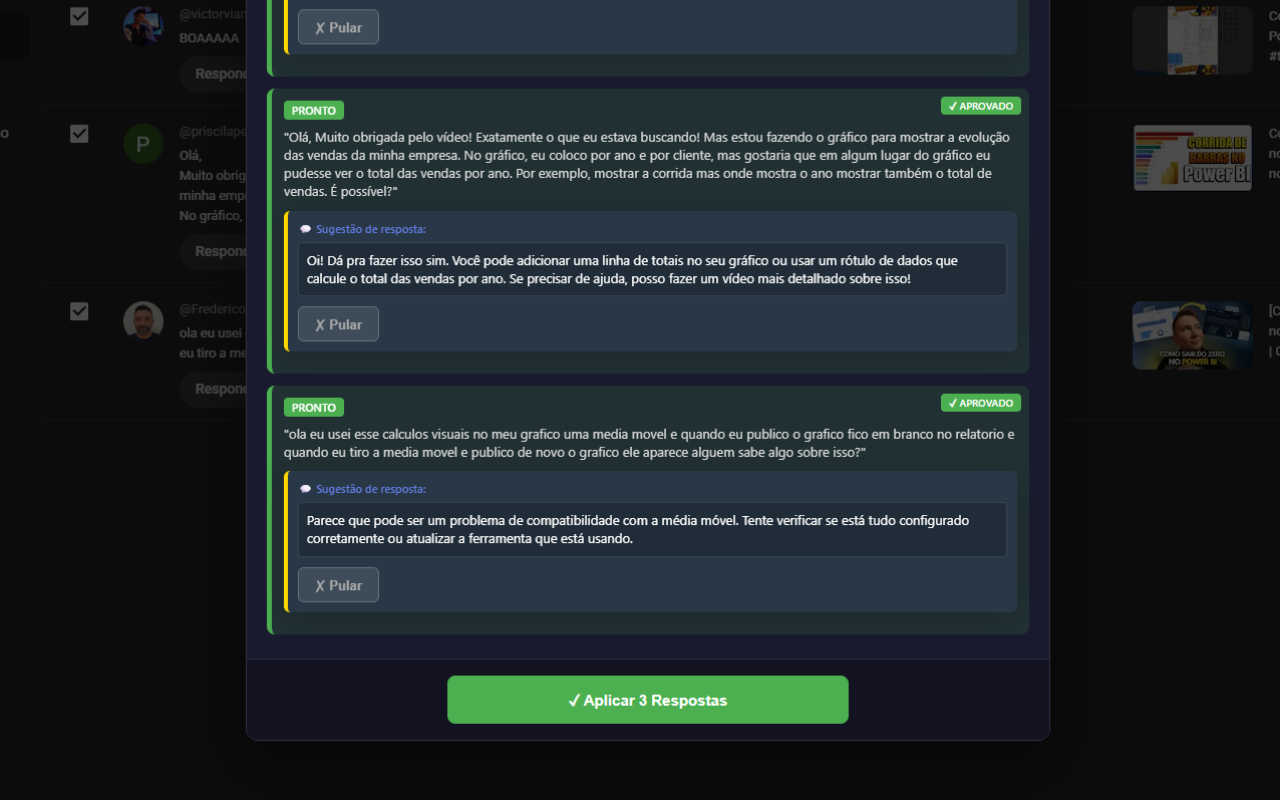
Reply to comments directly in YouTube Studio. Select multiple at once and generate bulk replies.
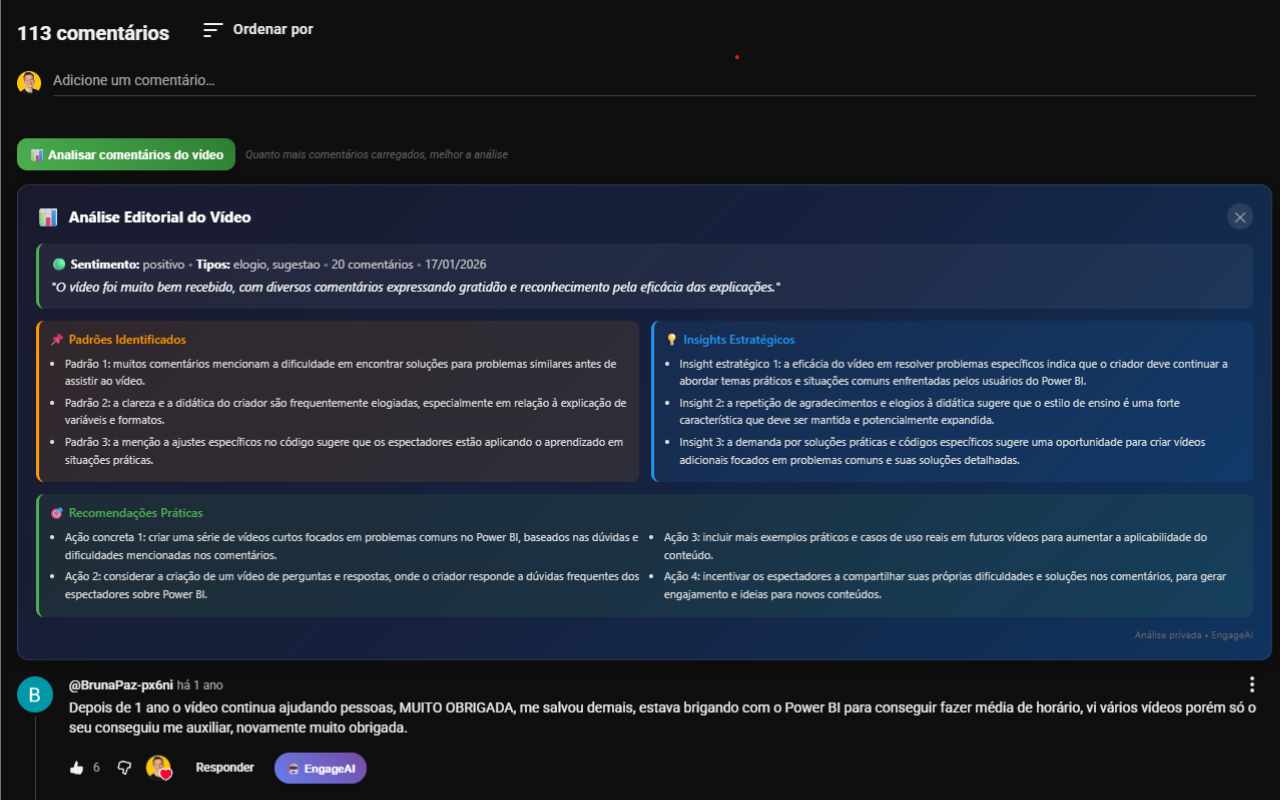
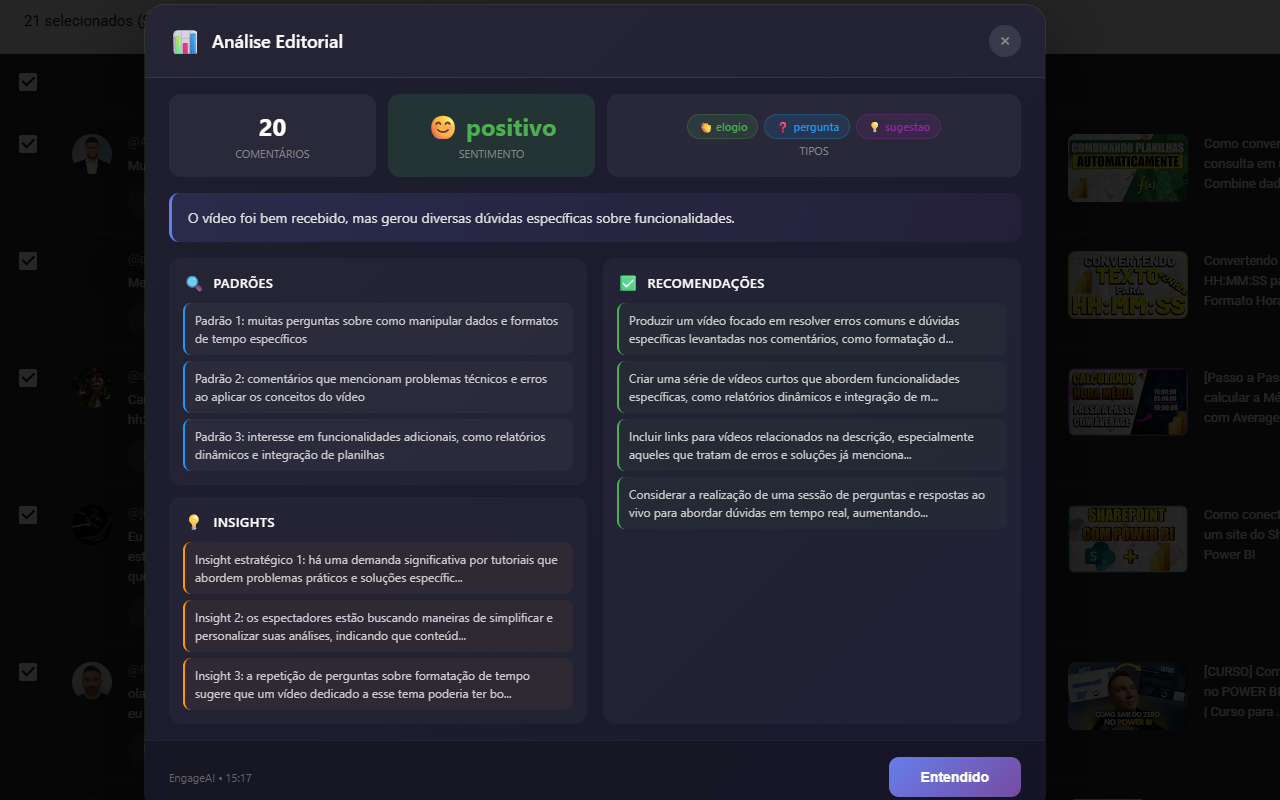
See patterns, sentiment and insights about your audience. Understand what your subscribers want.
Include calls-to-action in replies. Ask for likes, subscriptions or direct viewers to other videos.
AI analyzes the title, description and transcript of the video to give replies that make sense.
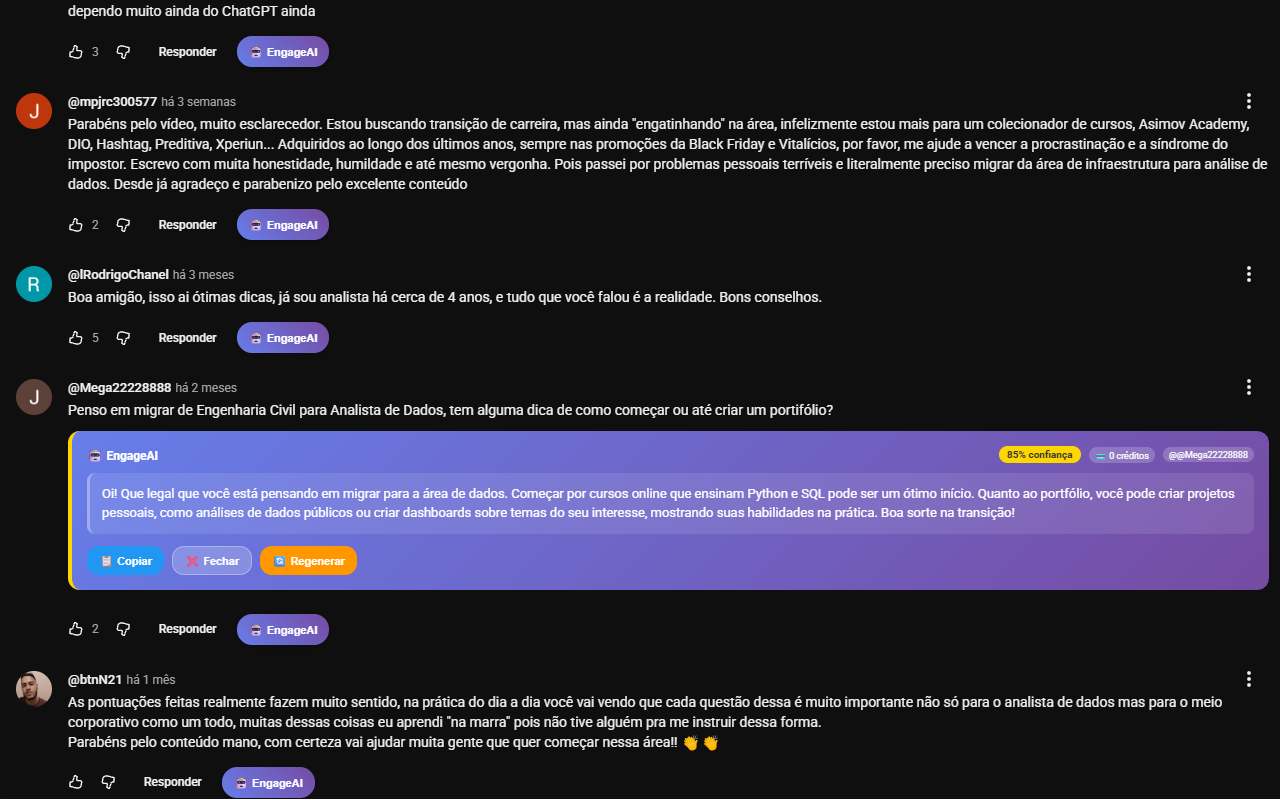
A button appears on every comment. One click and the reply is ready to publish.
AI detects the comment language and replies naturally. Supports English, Spanish, Portuguese and more.
Replying to comments boosts your video visibility in the YouTube algorithm.
Save hours each week by replying to dozens of comments in minutes.
Show you care by replying to more people, even with a large channel.
Answer questions with context-aware explanations based on the video itself.
All plans include all features. Choose based on how much you create.
💡 $0.024 per credit
🔥 $0.009 per credit — 50% cheaper
1 credit = 1 AI reply OR 1 comment analysis
One click on the Chrome Web Store and you're set
Use Google or create an account with email
Go to any YouTube video with comments
The ✨ button appears on every comment. Click, review and publish!
Yes! The AI reads the video transcript, the full comment, the title and description. Every reply is unique, personalized and makes sense for that specific context.
Yes! The AI detects the comment language and replies naturally. It supports English, Spanish, Portuguese and many more languages. No awkward translations.
Of course! The reply is generated directly in YouTube's text field. You can edit, add or remove anything before publishing. Full control in your hands.
Yes! Besides regular YouTube, it works perfectly on YouTube Studio. There you can select multiple comments at once and generate bulk replies with sentiment analysis. Saves a ton of time!
Directly from the extension, with a single click on "Cancel Subscription". No email required. You return to the free plan immediately and keep your credits until the end of the billing period.
The Free plan includes 10 credits per month. Creator has 200 credits and Pro has 1,000 credits. 1 credit = 1 reply or 1 comment analysis. Credits reset automatically every month. Unused credits do not roll over.
Join creators who reply 10x faster with AI. No credit card required.
Install Free on Chrome